IBM Business Assistant
IBM Business Assistant
Get Started
Get Started
Overview
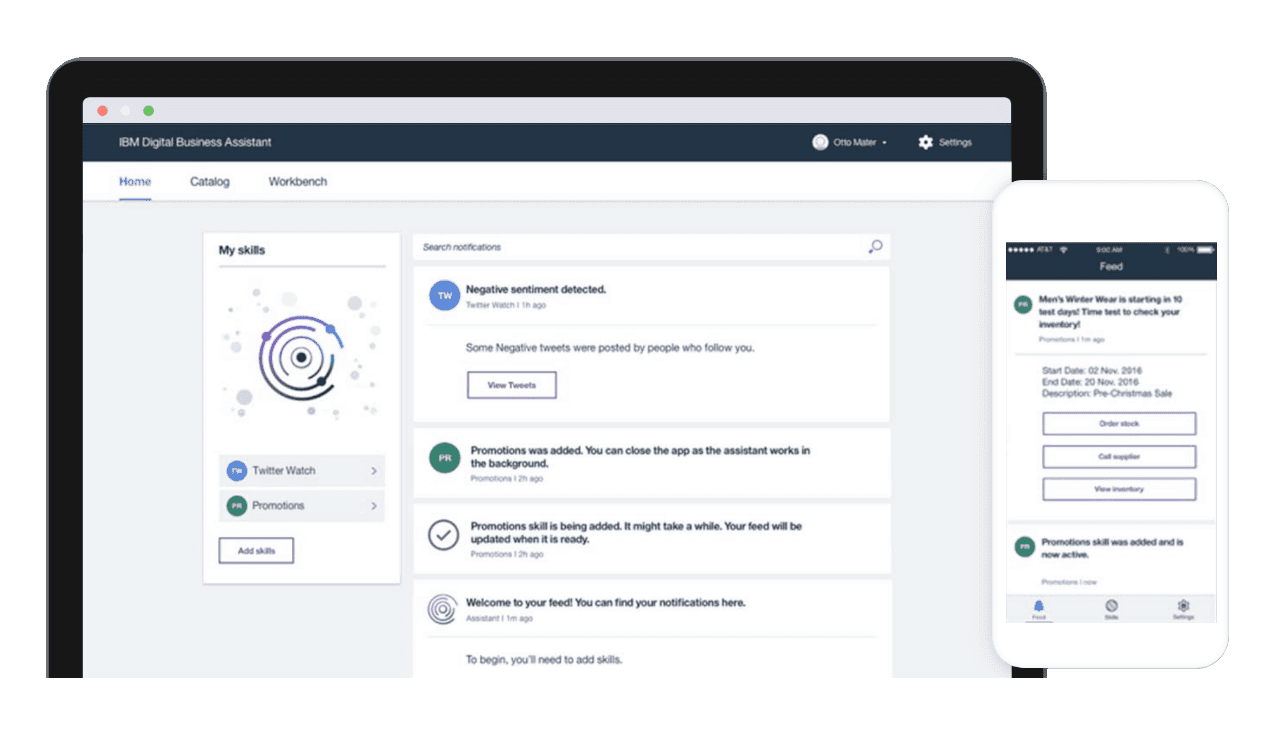
As a UX Designer for IBM Cloud, I designed for the 0-to-1 Business Assistant which integrates enterprise data to automate workflows and drive productivity for business people.
I have worked as a UX Designer during my internship & working student at IBM Studio, Germany as part of the Cloud Services team on building this project.
MY ROLE
User research
Prototyping
Visual design
TEAM
4x UX, 2x Visual Design, 2 Design Leads, 1 Front-end Designer, 1 Researcher
Wider team: 15-30 engineers, 8 product managers, 4 squads
TIMELINE
1 year, 2016-2017
PLATFORM
Mobile, Desktop
TOOLS
Sketch, Jira
SKILLS I APPLIED
• Competitive analysis
• Prototyping
• Design thinking
• Visual design
• User interviews
MENTIONS IN THE PRESS
Impact
120+ user insights
into validated Roadmap
To a validate the Product Roadmap & AI Capability
Designed foundational UX prototypes
Established core workflows for what eventually became Watson Orchestrate.
80%
Proactive task completion
Considered if user finds the recommendation valuable enough to act on it.
To benchmark the 'Agentic' capabilities, we targeted an 80% Action Rate (Proactive task completion)—the industry gold standard for proactive AI. We validated success through iterative testing with 10 users per persona, defining a relevance threshold of 8/10 where the AI’s recommendations were considered accurate enough to trigger the user action.
SUCCESS METRICS
• Improved user registrations
• Improve app store ratings - for Apple App & Google Play Store
4,6/5
Apple App Store &
Google Play Store
Registrations
from 0 to
Ca 400
Cambridge Judge Business School - Accelerate Cambridge - UK, Panacea Accelerator - UK, Newchip Accelerator - U.S.
3 Accelerators
4,6/5
B2B agreements for the SDK solution from Health Insurance & Fitness Tech companies
Due to the market pull from the B2B end from interested companies, DocMe changed the focus from B2C to the SDK solution within its first year.
Problems
The team & I interviewed 120 participants within the studio with different management roles to gain insights into the day-to-day work & uncover common pain points.
The whole team assisted our design researcher with extensive user research. Below are some of the main uncovered problems.
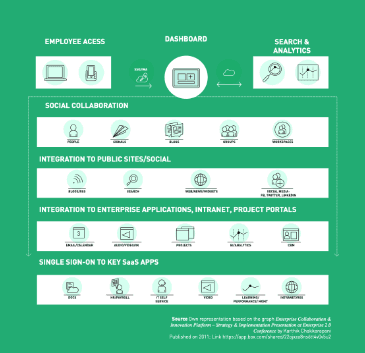
Fragmented tool landscape
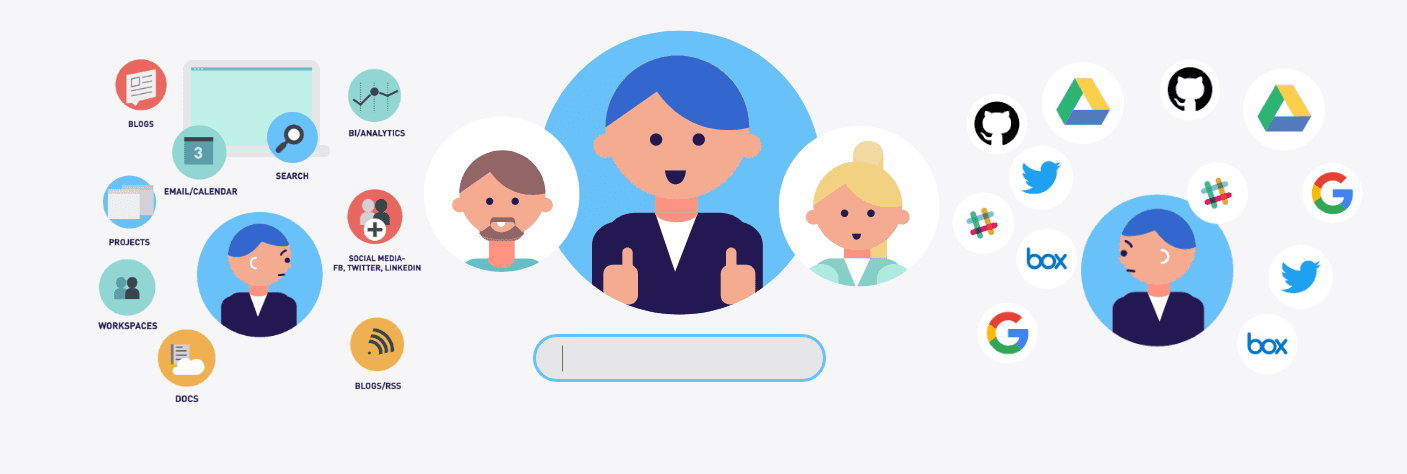
One of the challenges was to understand the tool landscape in the enterprise or bigger size companies and how it is applied across different job roles for different needs.
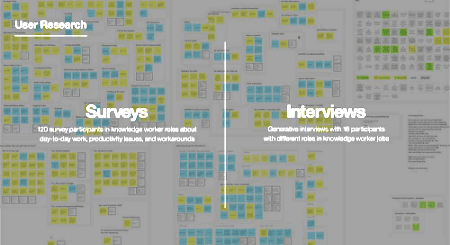
Undefined Product Management Workflows
To better understand the product management workflow we interviewed internally across different management roles and departments. We found it challenging to define a specific worklow.
Real-time data availability to make scenarios and prognosis for decision making
Staying up to date with innovative products while having real-time data availability for easier decision making was another recurring identified pain point.
Opportunity
How might we better support business professionals to simplify their workflow?
Goals
The project aimed to cover the following
Discover
This project began from the ground up, with no existing software, which is unusual within IBM. The scope was quite broad, so before the team scheduled a design thinking workshop, we did some preliminary research to have a deeper understanding of the problem area.
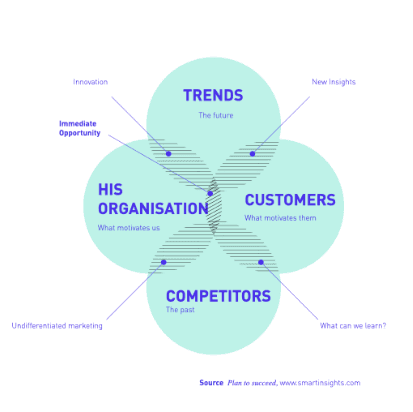
I also looked into our competition to better understand opportunities.
Ideation & Validation
Besides getting the green light from stakeholders we aimed to get the design in front of the target users to make sure we are heading in the right direction. I worked on prototyping different solutions and cca 10 users was used for each persona. This enabled us to validate changes from different angles and get a more complete picture.
Launch
My role in the larger team was to assist in the discovery phase and work on potential design solutions through wire-framing and iteration.
We’d have a daily scrum and a weekly meeting where we’d discuss the design and development.
Many of those sessions focused on cross-functional collaboration and team alignment, and we had to negotiate and postpone key features for MVP+1 on a number of occasions.
Tools integration
Another challenge was understanding the tool landscape in the enterprise and how it is applied across different job roles for different needs.
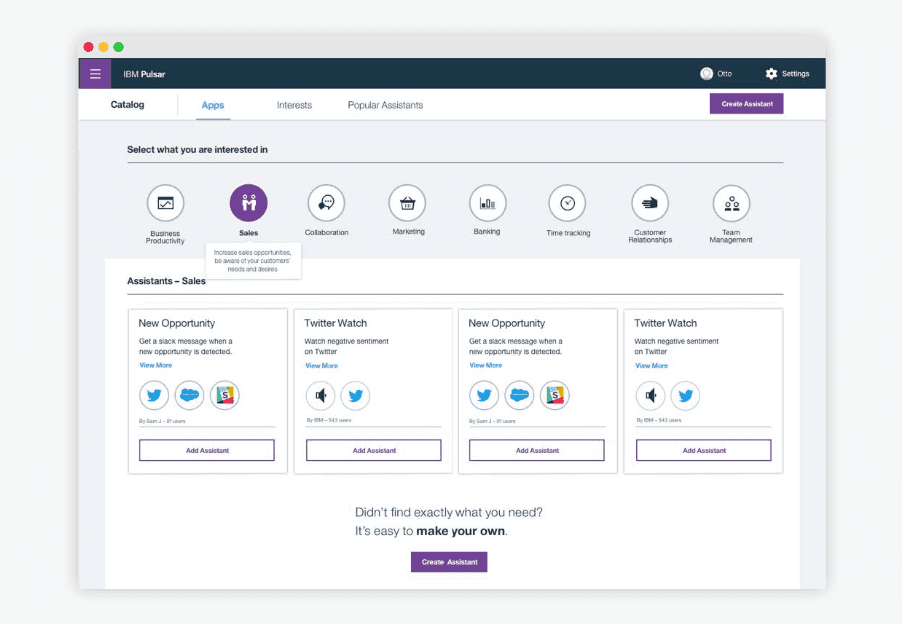
Built-in templates to get started
We concluded that including predefined workflows for different job roles and tasks as well as the option to customize them and create them from scratch is a good direction.
We looked into and integrated areas like Business Productivity, Sales, Collaboration, Marketing, Banking, Time Tracking, Customer Relationships and Team Management.
Custom solutions
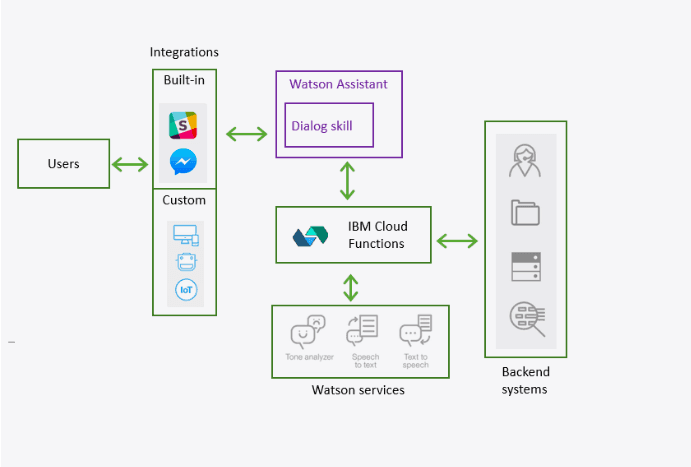
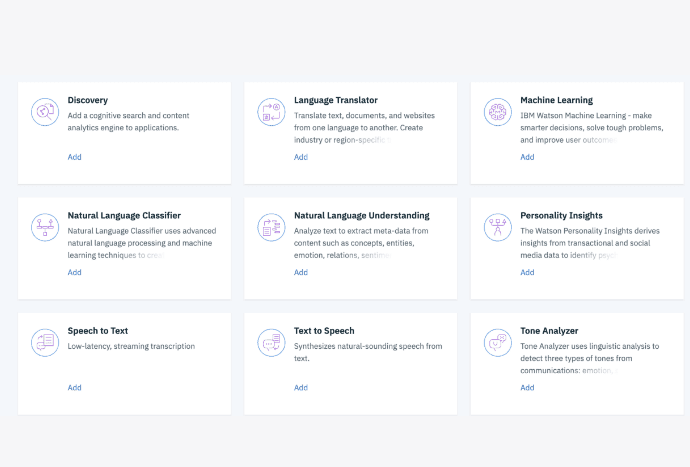
The users can also create their own custom solutions. They have the option to integrate tools like Watson’s artificial intelligence which is a search and text-analytics platform that can retrieve information buried inside enterprise data.
Design Process
I explored different design solutions with the team & aligned with stakeholders on prioritising for impact & tech feasibility
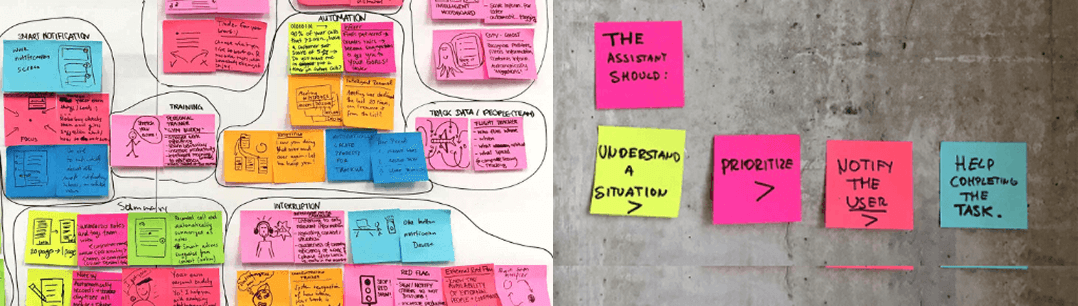
Explored solutions & team alignment
Our bigger team and stakeholders explored design solutions broadly. For team alignment we clarified the user goals we were designing for. These were that the assistant should understand a situation, prioritise, notify the user and help completing the task.
Design iterations
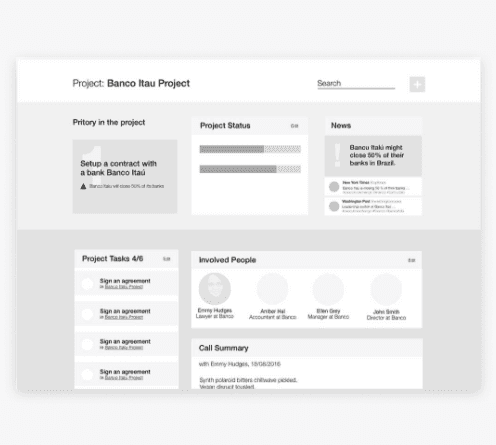
We explored how this would look within a customisable dashboard split into main activities cards.
This would give the user an overview on areas like: tasks that need priority, relevant information such as news, project status or involved people.
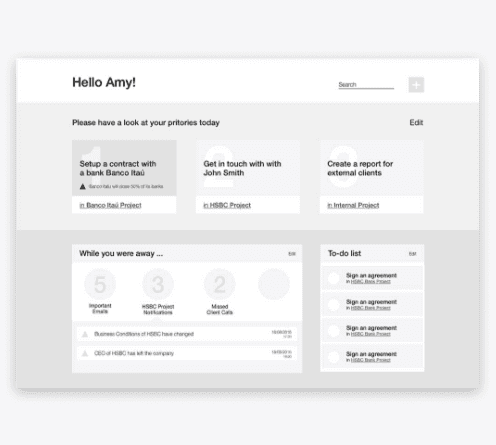
We also explored bringing more visibility to important emails, project notifications or missed client calls.
Final Designs
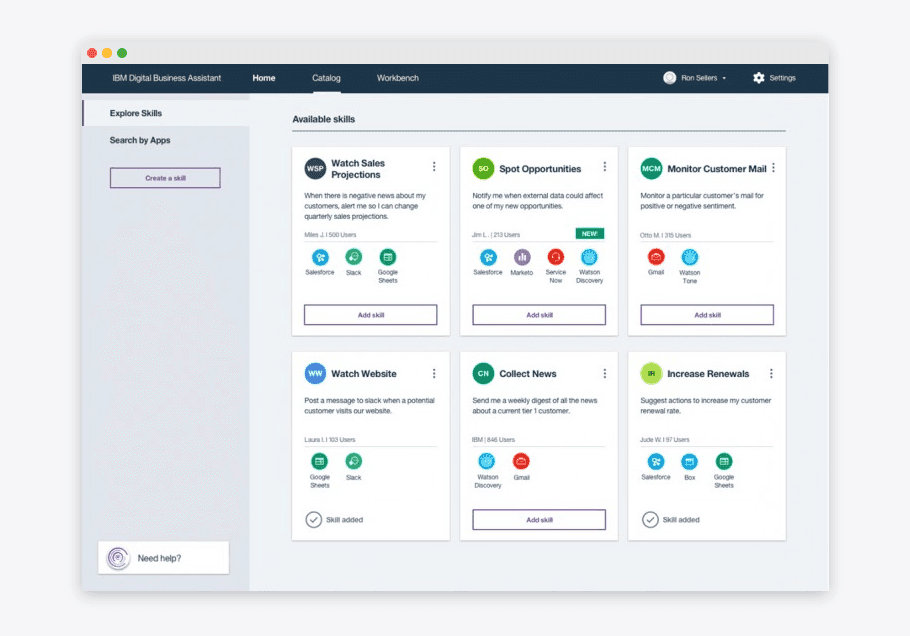
Focus on built-in templates
We explored how this would look within a customisable dashboard split into main activities cards.
This would give the user an overview on areas like: tasks that need priority, relevant information such as news, project status or involved people.
We also explored bringing more visibility to important emails, project notifications or missed client calls.
Dashboard as a insights feed
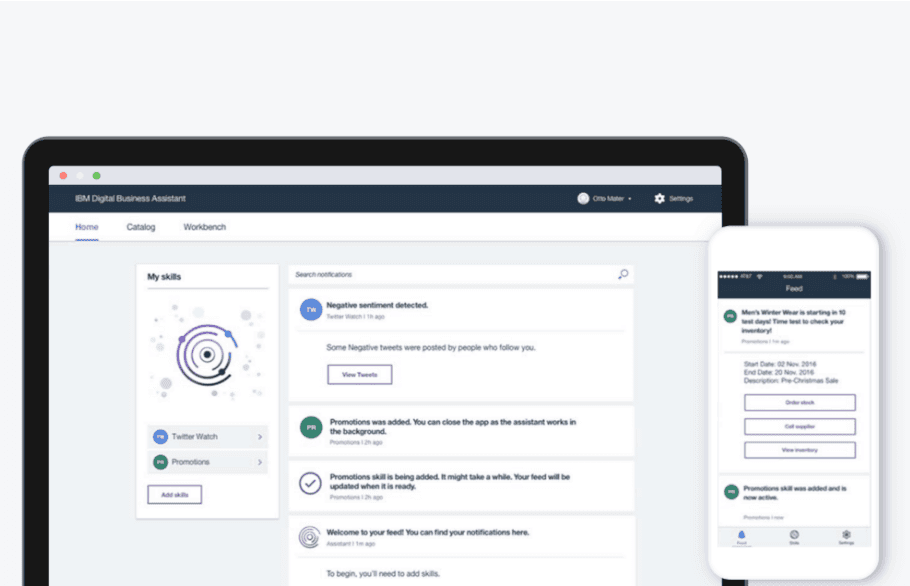
After exploring how we can bring visibility within a dashboard for the activities involved in managing projects such as prioritising tasks, news project status or involved people - the direction changed.
Driven by the core feature capability of creating flows that integrate apps, services and Watson capabilities - the dashboard was built as a feed.
This allowed to bring visibility to the insights brought from the activated flows or “Skills”.
This solution prioritised the technical feasibility since it was easier to fetch the insights from the implemented active flows and also had the user impact of supporting the user to finish tasks.
Further Product iteration
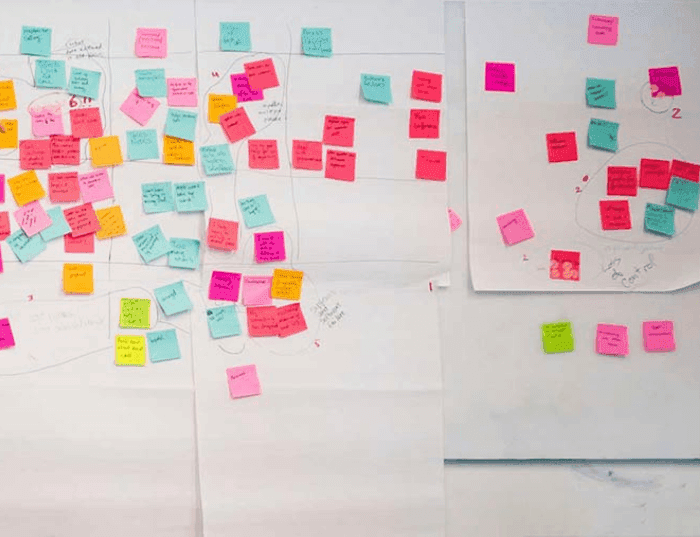
I also had the chance to expand the product vision by leveraging my Master’s research to uncover long-term AI opportunities.
I focused on high-impact AI opportunities beyond the initial MVP during my Master Thesis.
Conversation integration
The goal of the master thesis was to further uncover pain points within the digital workers’ workflows and leverage further IBM Watson AI capabilities to potentially solve them.
So this is a direction that I went on to explore further.
Initial prototyping
The conversational interface, integrated within collaborative chat or voice was an initial idea explored early on that I worked on and prototyped for initially in the discovery and ideation stage during my internship.
However it ended up outside of the scope of the project for the release at the time.
Initially it was integrated within the app and the conversation was between the user and assistant directly.
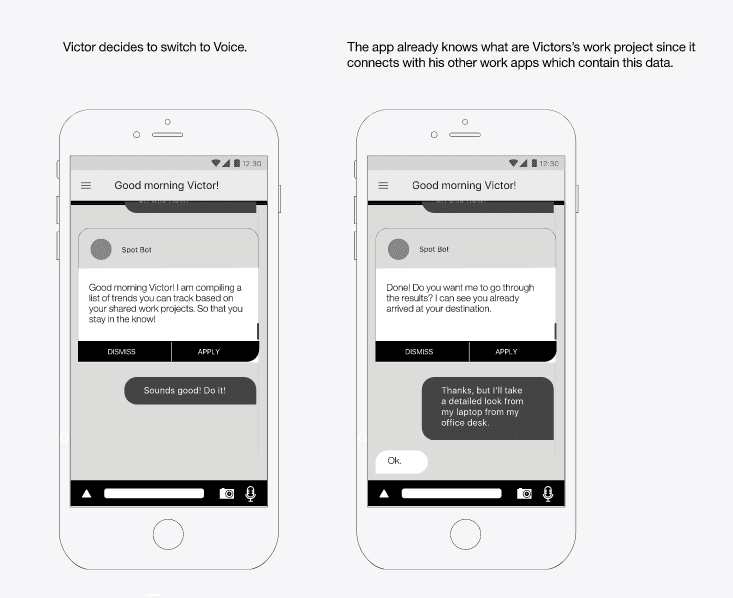
I advocated for a conversational integration strategy to meet users where their work actually happens.
One of the research findings that I considered is that a big part of the workflow for digital workers and tasks, and decision are spread through conversation apps such as Slack.
So I realised that there is a missed opportunity for the IBM Watson AI assistant to support the conversation and needed tasks within apps like Slack directly.
Since the common denominator was actually the input typing area, using the language processing Watson capabilities to support being on top of tasks directly within conversations made a lot of sense to explore.
Search for trends contextually
With the language processing AI the user can be supported to search for articles more easily within the conversations with the team, without switching apps.
Find relevant files within your conversation
Based on the uncovered pain point of wasting time to uncover information I considered the opportunity to find relevant files within the conversation.
For this the solution to integrate tools like Watson’s artificial intelligence to use search and text-analytics in order to retrieve information buried inside enterprise data made it a technically feasible option.
Automate tasks or set up alerts
Similar to how specific task flows were automated through the IBM Business Assistant platform, users would be able to access and adjust the flows directly within the conversation.
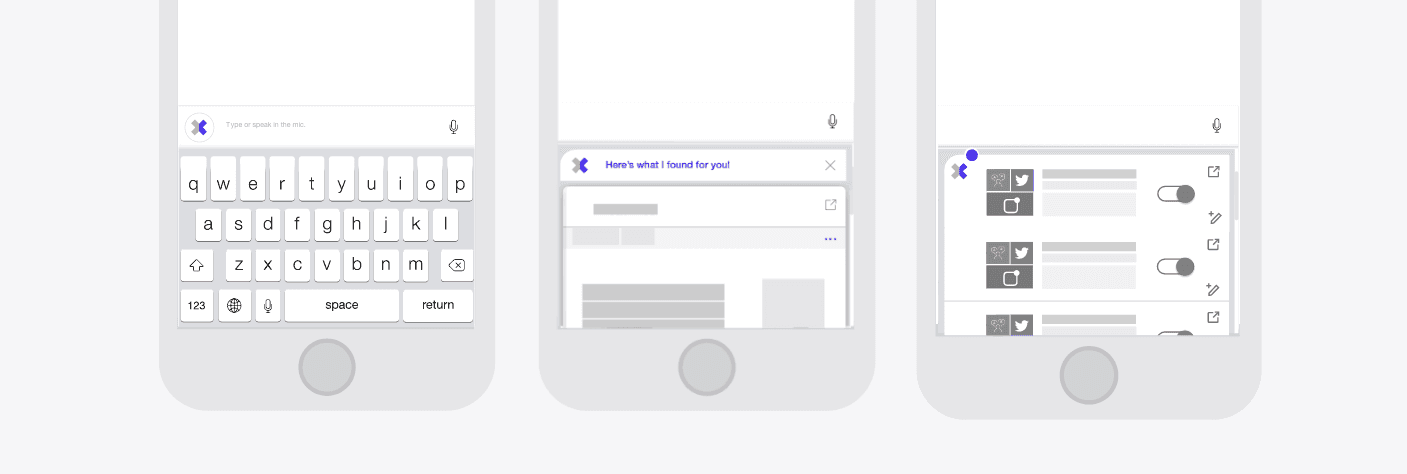
Conversational integration - bypassing the friction of app switching
I designed a context-aware keyboard integration—similar to Gboard—which is also platform agnostic - that embeds Watson AI directly into collaboration tools like Slack. This allows users to share headlines, track topics, and save projects without leaving the conversation, transforming the keyboard into a proactive productivity hub.
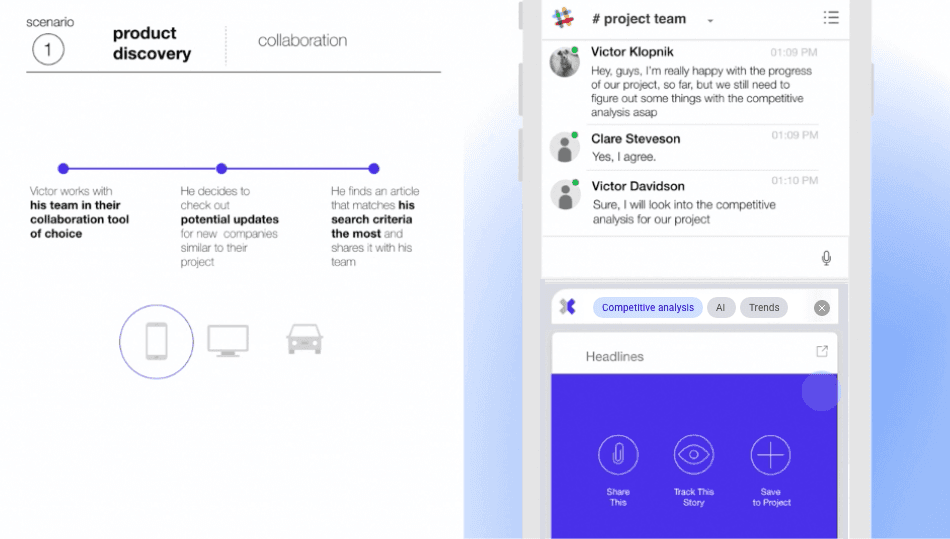
Scenario - Product Discovery & Collaborative Intelligence
The Workflow Context: The user, Victor, is actively engaged with his team in their primary collaboration tool (e.g., Slack) on a mobile device.
The Intent Trigger: During a discussion about competitive analysis, Victor decides to investigate potential updates for companies similar to their current project.
AI-Assisted Search: Using the integrated Watson AI capabilities within the keyboard interface, Victor identifies an article that matches his specific search criteria.
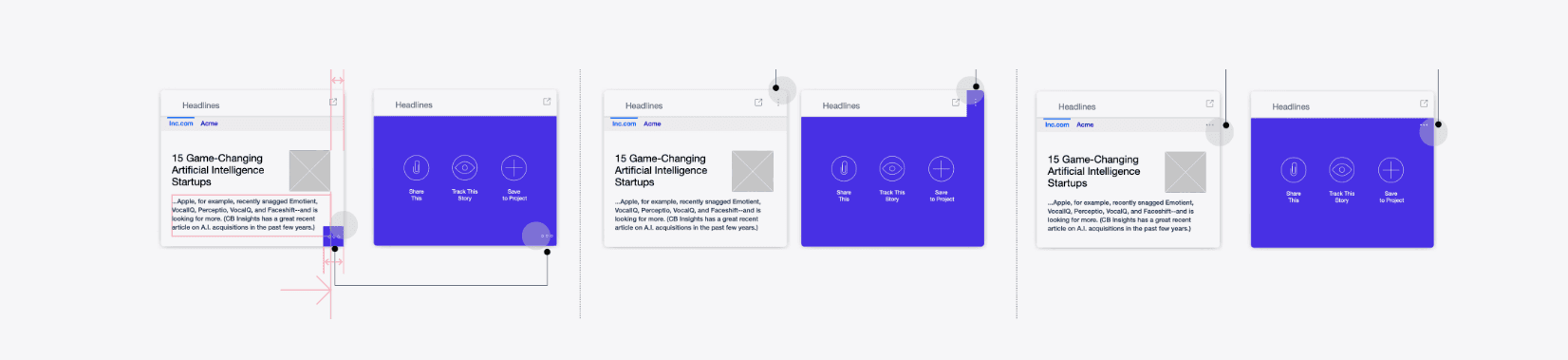
Contextual Actions: Once the relevant content is surfaced, the interface provides three direct, agentic actions:
Share This: Immediately distributes the headline to the team chat.
Track This Story: Monitors the topic for future updates.
Save to Project: Archives the insight directly into the team’s project management workspace.
This scenario demonstrates the "Gboard-style" integration by allowing Victor to move from a conversation to research and back to collaboration without ever switching applications.
Product evolution
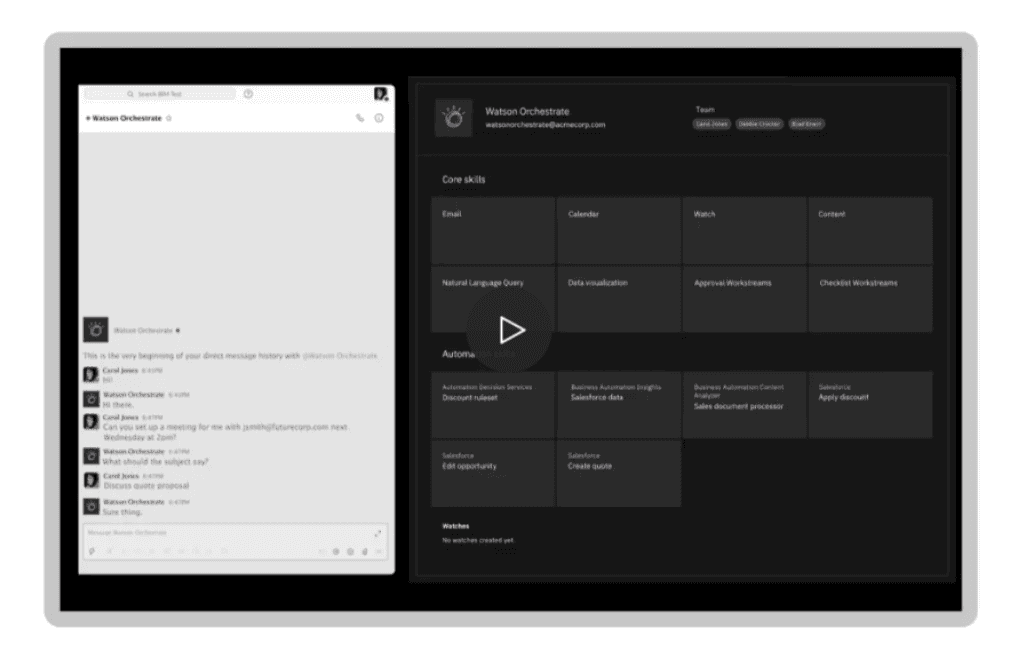
IBM Watson Orchestrate
Further on from IBM Business Assistant, IBM Watson Orchestrate was further developed.
It integrated conversational interface and made use of Watson AI’s capabilities in detecting sentiment in language among other features.
It was interesting to see how this feature was initially discarded and shaped the product strategy later on,
Happy to see that our work wasn’t wasted :)
Problems
We gathered research data to validate the need for recording vital signs. We tried to understand how doctors and people might use vital signs health data. Below are the main problems uncovered.
Apple App Store &
Google Play Store
Seeing patients face-to-face presents an additional risk
To make informed decisions for patients the historical data of their vital signs is essential.
Patient historical data is essential but can be difficult to obtain
Most users of existing health apps believe that it is hard to get an optimal health analysis when it comes to understanding vital signs values.
Hard time to understand health or wellbeing overview in most apps
Goals
Build the mobile and desktop versions for personal use and doctors use. The approach is to ship a baseline functionality to build, test and ship within 6 months to learn from and improve on.
Launch
Health Tech is a highly regulated area. For the launch in the UK on the Doctors platform it was important to integrate regulatory guidelines. We worked and tested using the NHS sandpit environment and provided NHS login. For the Personal use, we obtained the UKCA mark and offered user transparency regarding data and tech aspects.
Build trust
To reach product-market fit in a within the UK within 12 months for both personal use and patients before growing to other regions.
On the Personal app side, we targeted Cambridge Colleges and for the Doctors side, we approached other HealthTech startups.
Grow
The DocMe Personal mobile version & DocMe Doctors SaaS version must achieve these main goals to be considered successful.